📷
Camera-assisted hand tracking
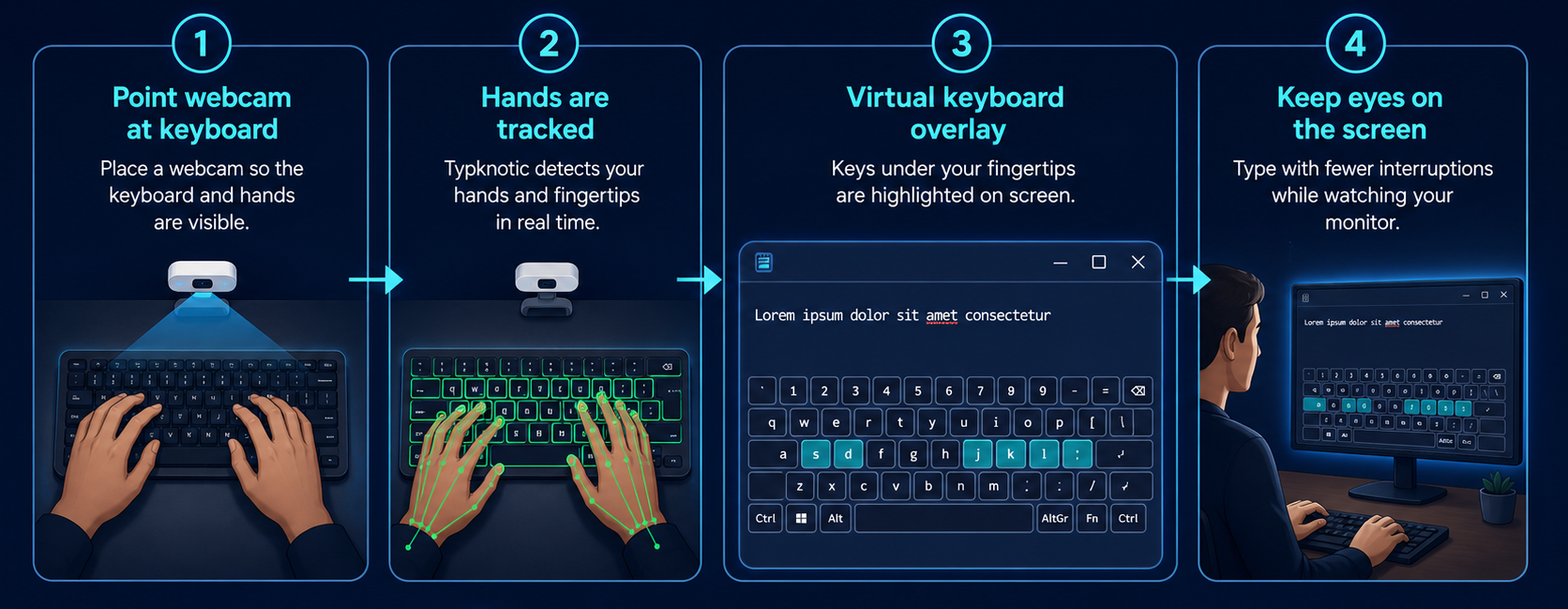
Typknotic uses your webcam to detect your fingers and highlight the keys under your fingertips.
Typknotic detects your fingers with the help of your webcam, displays a virtual keyboard overlay on your screen and highlights the keys under your fingertips, helping you keep your eyes on the monitor while typing.
No screen capture or camera recording. Camera processing is designed to happen locally on your device. No camera footage, keystrokes, or typing data is transmitted to external servers.
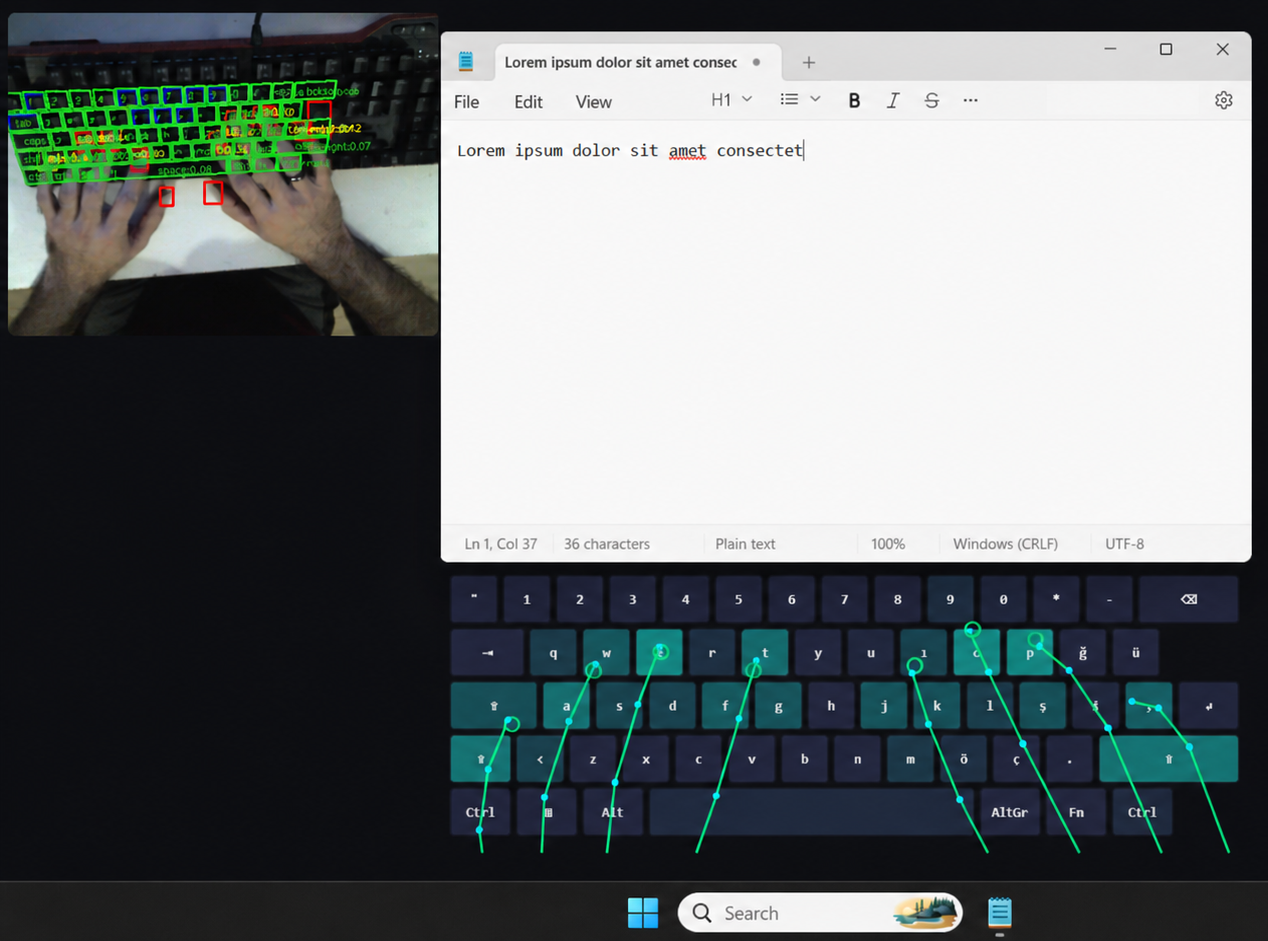
Typknotic is built around one practical idea: keep your keyboard awareness on the screen, where your attention already is.
Typknotic uses your webcam to detect your fingers and highlight the keys under your fingertips.
See your keyboard directly on your screen while typing, so you do not need to look down as often.
Reduce small attention breaks caused by switching your gaze between your monitor and keyboard.
Lightweight models running in the backtround provide responsive feedback during daily typing sessions.
▣ Patent pending
Whether you are learning touch typing or already type comfortably, Typknotic can help reduce unnecessary focus switches during writing, note-taking, coding, and research.
Keep your eyes on the screen and experience the benefit of real-time visual keyboard guide first-hand.